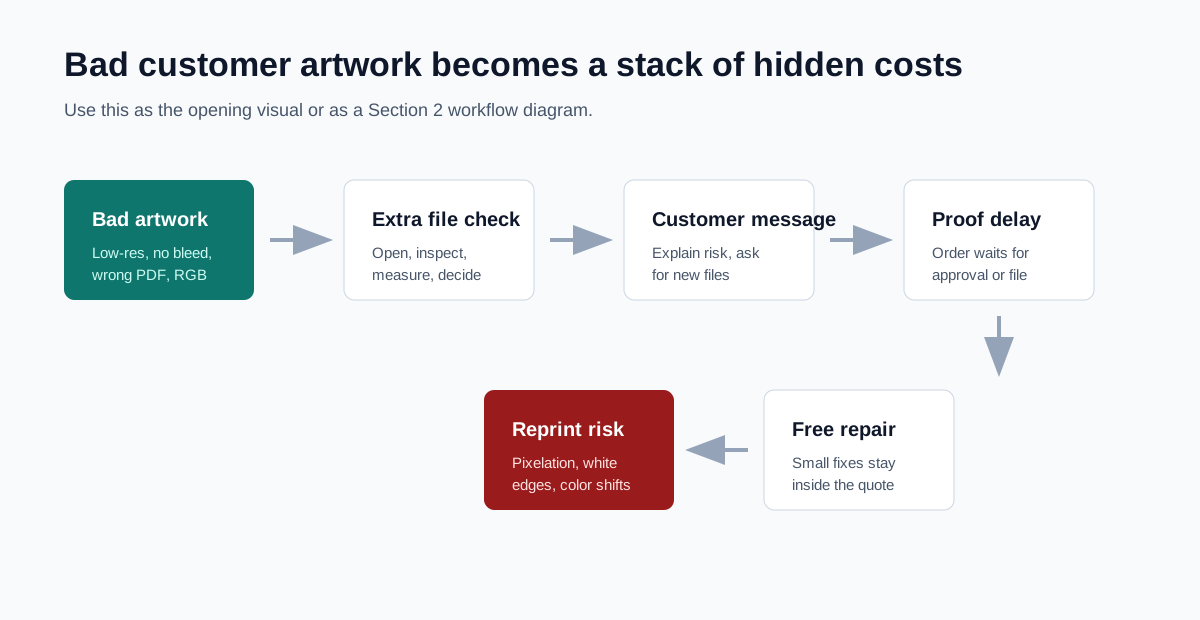
Hidden daily work
The cost is usually hidden inside normal production
File checks and small fixes often feel like part of the job. A staff member opens the file, notices missing bleed, checks whether the image has enough pixels, sends a message, or makes a small adjustment so the order can move forward.
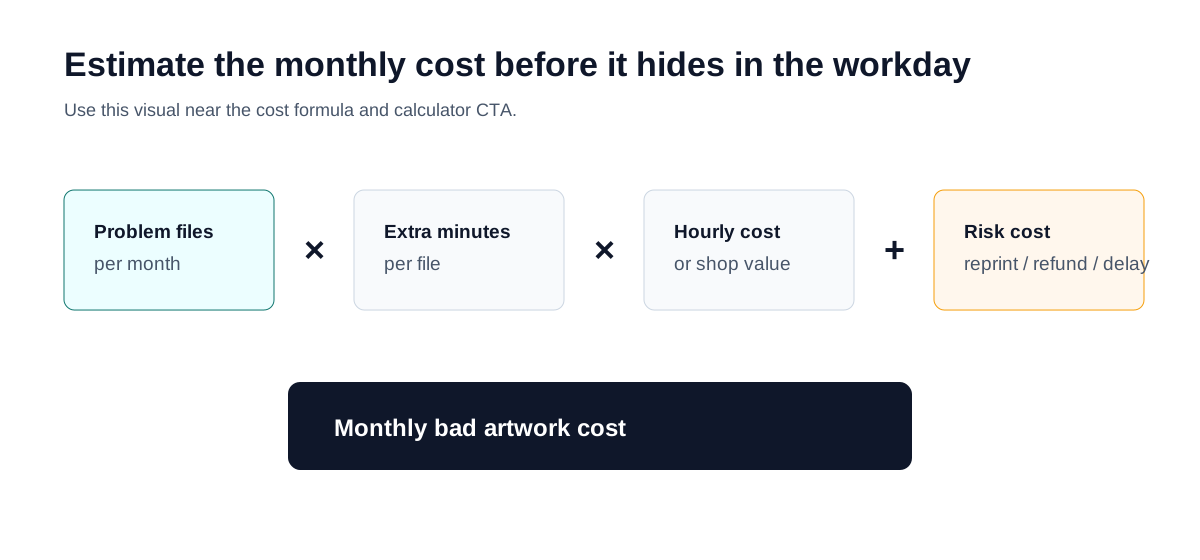
The problem becomes visible when those small fixes repeat. If 12 customer files per week need 15 extra minutes each, that is about 13 hours per month before customer messages, proof delays, or reprints are counted.
As a wage baseline, the U.S. Bureau of Labor Statistics listed the May 2023 mean hourly wage for prepress technicians and workers at $22.38. That wage is only a floor for cost thinking; a shop may value skilled prepress capacity much higher once overhead, opportunity cost, and rush work are included.
| Problem files / week | Extra minutes / file | Monthly hours | At $22.38/hr | At $75/hr shop value |
|---|---|---|---|---|
| 12 | 15 | 13.0 | $291 | $975 |
| 25 | 10 | 18.1 | $405 | $1,356 |
| 40 | 15 | 43.3 | $969 | $3,250 |
Cost sources
Where bad artwork creates cost
Public print shop file guidelines repeatedly ask customers for production details such as 300 DPI images, bleed, CMYK color, embedded or outlined fonts, correct page size, and print-ready PDF exports. Those requirements are cost signals: when customers do not meet them, the shop has to inspect, explain, repair, wait, or document risk.
Prepress labor
Staff open the file, check size and resolution, inspect bleed, make quick adjustments, and decide whether the file can move forward.
Customer communication
Someone has to explain low resolution, Canva export settings, missing bleed, color risk, fonts, and why a screen preview is not enough.
Delayed production
Orders wait while the customer resends artwork, approves a risk, or asks the shop to fix the file.
Free file fixes
Small corrections often stay inside the order price, which makes the real cost disappear from the quote.
Reprint and complaint risk
Low-resolution images, white edges, missing fonts, and color shifts can become disputes after the job is printed.
File requirement pages from RiverCity Print & Imaging, Ross Printing, and EBC Printing show the kinds of checks that become staff work: PDF preference, CMYK output, 300 DPI image guidance, bleed, font handling, Canva export details, and proof review. Canva-specific print setup guidance from Vancouver Island University also shows why a Canva export can still need careful production setup.
Current handling
The usual fixes solve one pressure and leave another
A shop can keep an order moving by fixing a small issue for free. It can protect production quality by sending the file back. It can protect margin with a handling fee. Each path has a tradeoff that needs to be visible to the owner and consistent for staff.
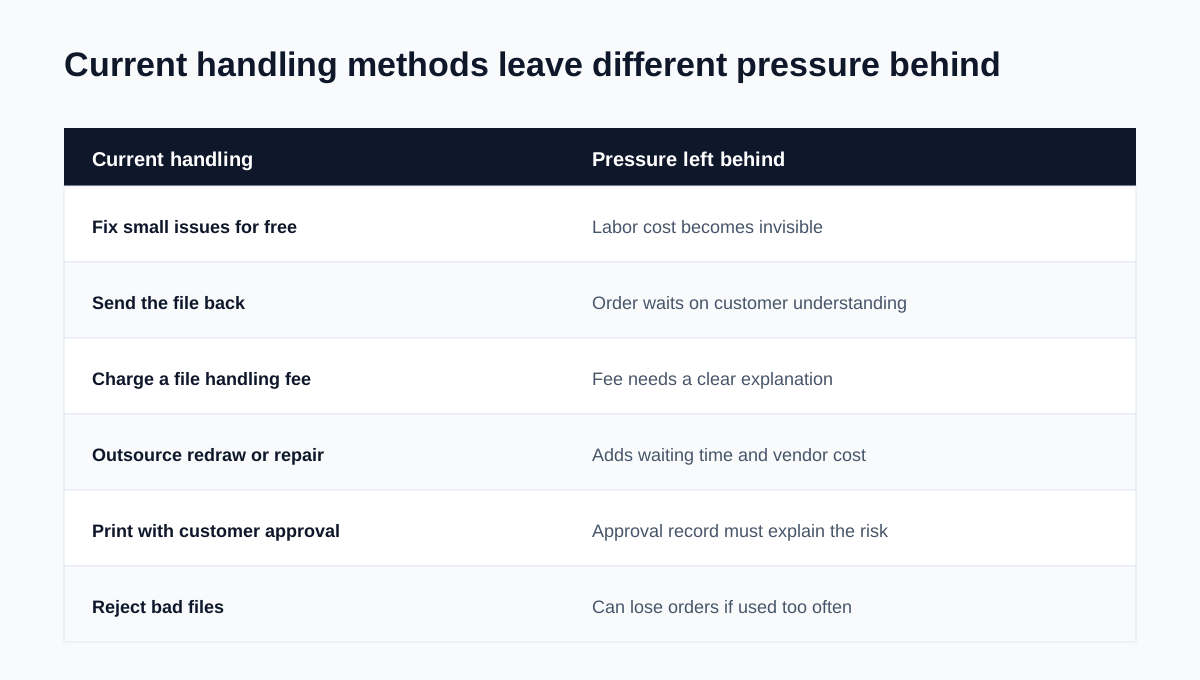
| Current handling | What it helps with | Pressure left behind |
|---|---|---|
| Fix small issues for free | Keeps the order moving | Labor cost becomes invisible |
| Send the file back | Protects production quality | The order waits on customer understanding |
| Charge a file handling fee | Protects margin | The fee needs a clear explanation |
| Outsource redraw or repair | Makes complex work possible | Waiting time and vendor cost remain |
| Print with customer approval | Keeps urgent jobs moving | The approval record must explain the risk |
| Reject bad files | Protects quality | Orders can be lost when used too often |
The pattern already appears in public practice. Printing News describes treating customer-supplied file problems as billable prepress work after a defined free window. Print practitioners on Reddit discuss setup fees, minimums, hourly charges, and built-in handling charges as ways to stop file work from disappearing into the order.
Formula
A simple formula makes the cost discussable
The first calculation should use numbers the owner can estimate quickly: how many problem files arrive, how long each one takes, who handles them, what that time is worth, and whether the shop absorbs reprints, refunds, or missed deadlines.
Scenarios
Different shops feel the cost in different places
Small local print shop
The owner or senior staff fixes files for free to keep jobs moving. The cost appears as personal time, late proofs, and low-margin small orders.
Sign shop
Low-resolution logos and screenshots become large-format quality risk. A file that looks acceptable on screen can fall apart on a storefront sign or banner.
Packaging or label shop
Bleed, dielines, fonts, image resolution, and PDF setup create repeated prepress checks before proofing and production.
Busy digital printer
Many small corrections across many small orders quietly turn into staff capacity and margin loss.
This is why the same low-resolution logo needs different handling depending on the product. A small label, a business card, a window decal, and a banner do not create the same print risk, customer conversation, or repair cost.
Policy trigger
Repeated file repair should become a shop policy
A single bad file is a production problem. A repeated pattern is an operations problem. Once staff keep making the same judgment, the owner needs a rule for included service, billable work, customer resubmission, and approval risk.
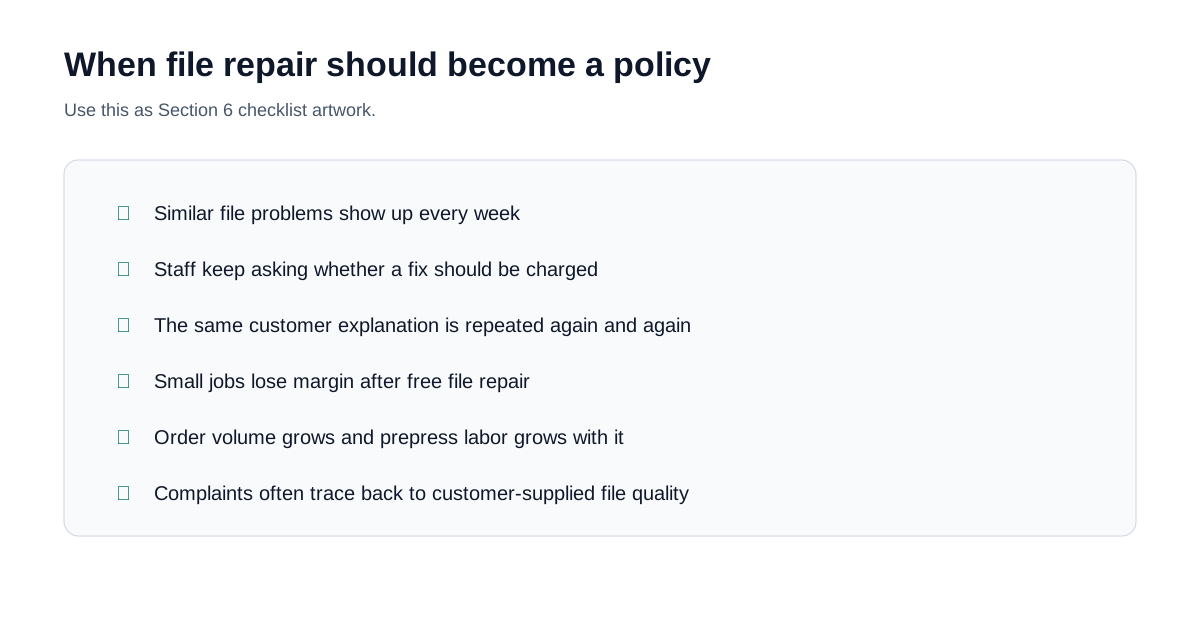
- Similar file problems show up every week.
- Staff often ask whether a file fix should be charged.
- The same customer explanation gets rewritten again and again.
- Small jobs lose margin after free file repair.
- Order volume grows and prepress labor grows with it.
- Complaints often trace back to customer-supplied artwork quality.
First fixes
Start with small fixes that make the cost visible
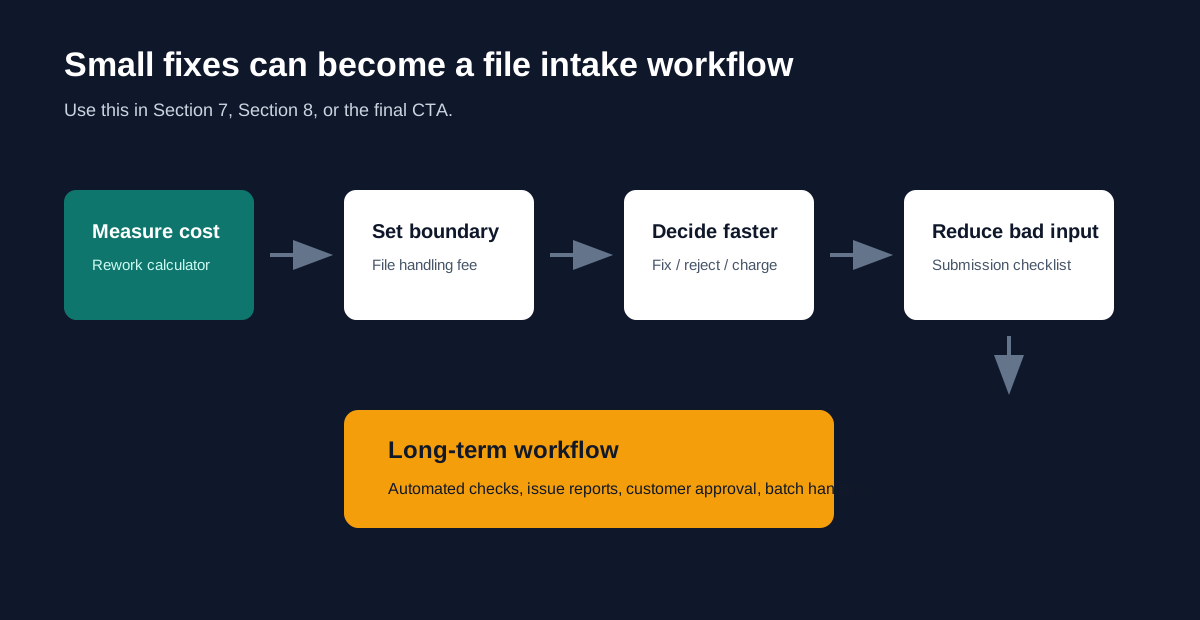
Measure the cost
Estimate monthly labor, delay, refund, and reprint pressure.
Decide when to charge
Separate goodwill fixes from billable prepress work.
Standardize staff decisions
Route file issues by role, source, current handling, and next action.
Reduce bad files before they arrive
Give customers a practical submission checklist.
Workflow direction
Repeated file problems point toward a workflow
When the same file problems repeat, the shop needs more than one-off repair. It needs consistent checks, customer-readable issue reports, approval records, and a clear line between included service and billable prepress work.
That is the direction PrepressKit is testing: start with visible checks and cost awareness, then use real workflow signals to prioritize PDF readiness, customer issue reports, repair suggestions, and approval records.
Sources
Research basis
These sources are used as public evidence for file requirements, prepress labor, file handling fees, Canva setup, proof responsibility, and customer artwork policies. Reddit threads are treated as field signals rather than statistical proof.